Skills, Ratings & Feature Requests
Part of the Anaya Care Handbook — the source of truth for how the product must behave. When the product needs to change, change this document first, then make the system match it.
What this covers
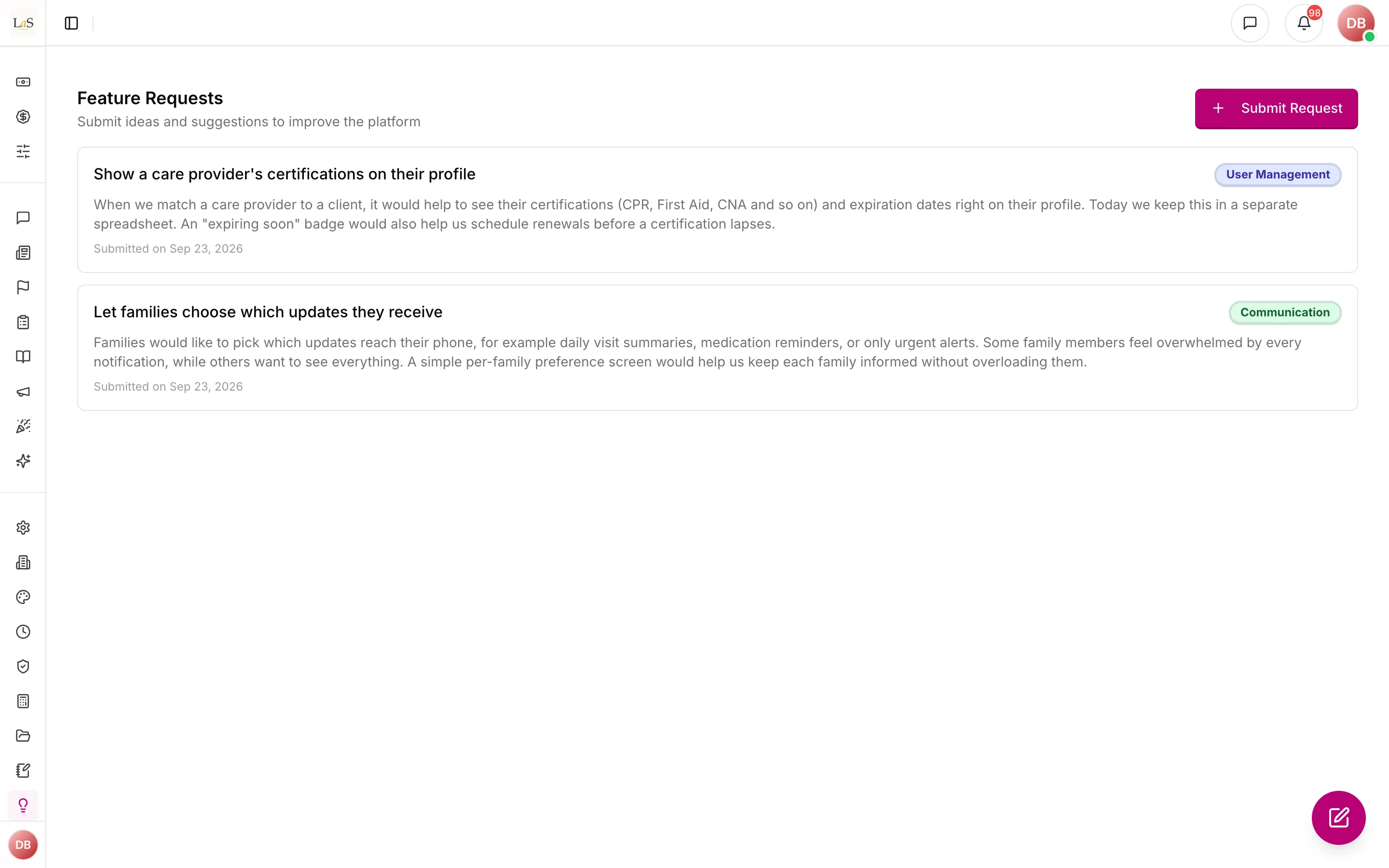
This page governs three platform-level catalogs and feedback channels: the shared catalog used on care provider profiles and job postings, of care providers, and that agencies send to the platform team.
Two adjacent areas are kept separate on purpose. Peer skills, star ratings, and feature requests live here. Broader care-quality feedback (representative, care manager, and care provider self-assessment) and platform feedback (usability, bug reports, NPS) live in the Feedback & Improvement System. Star ratings earned on completed shifts also feed a care provider's ARMI Marketplace profile, and the Caregiver Level Badge draws on Performance Evaluation data.
Key terms
- Skill — an entry in the single platform-wide catalog of caregiving skills, referenced by profiles and job postings.
- Rating — a 0–5 star review of a care provider, which feeds the average shown on their profile and, for ratings from completed shifts, their ARMI Marketplace profile.
- Verified rating — a rating that authorized staff have confirmed as genuine.
- Caregiver Level Badge — a Level 1–4 classification the originating agency sets for a care provider, reflecting tenure, certification, areas of expertise, and specialization; it is shown on the ARMI Marketplace profile and informed by Performance Evaluation data.
- Feature request — a product idea an agency submits to the platform team for triage.
How it works
Skills live in one platform-wide catalog shared by every agency; care providers pick from it when building their profile and work history, and job postings list the skills they need (see Job Postings). Ratings let users score a care provider 0–5 stars with an optional comment; every new rating updates the average shown on the provider's profile, and staff can verify genuine ratings or remove bad ones. Ratings earned on completed shifts also surface on the care provider's ARMI Marketplace profile, where agencies see them while searching and filtering for providers to hire. Feature requests are a one-way suggestion box: agency staff submit ideas, and the platform team triages them through New → Under Review → Planned → In Progress → Completed (or Declined). Submitters can see what they sent but not the triage status — triage is internal to the platform team. Feature requests share their access permission with the operational Client Requests area.
Caregiver Level Badge
The Caregiver Level Badge is a Level 1–4 classification that the originating agency sets for each of its care providers. The level reflects the provider's tenure, certification, areas of expertise, and specialization achievement. It is shown on the provider's ARMI Marketplace profile so hiring agencies can see it during search and filtering. The level is informed by the provider's performance record — shift completion, task adherence, and documentation quality — which is tracked in Performance Evaluation.
Rules
- SKILL-1 — There is one skill catalog for the whole platform, shared by every agency, and each skill name is unique. Only the platform team can add, change, or remove catalog skills.
- SKILL-2 — A rating scores a care provider from 0 to 5 stars, with an optional comment, and every new rating updates the average shown on that provider's profile. Only care providers can be rated.
- SKILL-3 — Ratings start unverified. Only authorized agency staff can verify a rating or remove one.
- SKILL-4 — Agency staff with requests access can submit feature requests (title, description, category) and see their own agency's submissions — but never the triage status or the platform team's notes.
- SKILL-5 — Only the platform team can view feature requests across agencies, move them through the triage pipeline, and write internal notes.
- SKILL-6 — Star ratings a care provider earns on completed shifts also surface on their ARMI Marketplace profile, where hiring agencies see them during provider search and filtering. (🚧 Spec only)
- SKILL-7 — Each care provider carries a Caregiver Level Badge (Level 1–4) set by their originating agency to reflect tenure, certification, areas of expertise, and specialization; it is shown on their ARMI Marketplace profile and informed by their Performance Evaluation record. (🚧 Spec only)
Note: This page's rules were retired from the Content & Community page: CONTENT-31 – CONTENT-35 → – . IDs are never reused.
Who can do what
| Action | Who |
|---|---|
| Manage the skill catalog | Platform team only |
| Rate a care provider | Any signed-in member of the agency |
| Verify or remove a rating | Authorized agency staff |
| Set a care provider's Caregiver Level Badge | The provider's originating agency (Owner, Admin, Care manager) |
| Submit and list own feature requests | Agency staff with requests access |
| Triage feature requests (status, notes) | Platform team only |
Decisions needed
- Rating integrity — should a person be limited to one rating per care provider, and should ratings be tied to care actually received? Options: leave unlimited free-form ratings; one editable rating per rater per provider; only allow ratings after a completed shift or visit.
- Feature request feedback loop — should submitters see the status of their ideas or be notified of outcomes? Options: keep triage fully internal (current intent); show status to submitters; notify on Completed/Declined.
- Surveys (planned). A "Survey" dashboard page exists as a placeholder: creating and managing surveys for clients, families, and care providers. Options: build it as a new feedback module on this page; make it its own module page when built; drop the placeholder.
- Caregiver Level Badge inputs (). The level should reflect performance, but the exact rule is open: how much is the agency's manual judgment versus an automatic signal from Performance Evaluation (shift completion, task adherence, documentation quality)? Options: leave the level fully manual with performance shown as context; auto-suggest a level the agency can override; auto-set the level from a performance threshold.
- Which ratings reach ARMI (). Decide whether only completed-shift ratings reach the ARMI Marketplace profile, or all verified ratings. Options: completed-shift ratings only (current intent); all verified ratings; agency chooses what to surface.
How is this page?
Last updated on