Routine & Habit Tracking
Part of the Anaya Care Handbook — the source of truth for how the product must behave. When the product needs to change, change this document first, then make the system match it.
Implementation status — this module is specified but not yet built. Every rule below is 🚧 Spec only until the feature ships and this page is audited against the code. Legend: ✅ In code · ⚠️ Partial · 🚧 Spec only (not yet built).
What this covers
This page governs routine and habit tracking: the client's recurring daily habits — a wake-up time, a morning walk, an afternoon nap, a bedtime wind-down — that a care manager defines inside the care plan, that the care provider on duty logs as done or missed each shift, and that the platform watches over time. It sets out how routine completion is recorded, how the platform measures consistency, when a disruption alert fires because a routine is being missed repeatedly, how pattern recognition surfaces disruptions that may point to a health change, and what the client's representative can see.
Routines live inside the care plan and are part of the daily picture; for the tasks a care provider performs and how the plan is structured see Care Plans & Care Provider Tasks, for symptoms and vital signs that a routine disruption may relate to see Health Readings, and for the planned cognitive and social activities a client takes part in see Engagement Activities. Where a habit corresponds to a routine anchor — a structured routine time (wake, sleep, or a meal) set on the client's schedule page — the anchor drives scheduling (shift start times and task times), while this page governs habit logging, the per-shift record of whether the routine was kept.
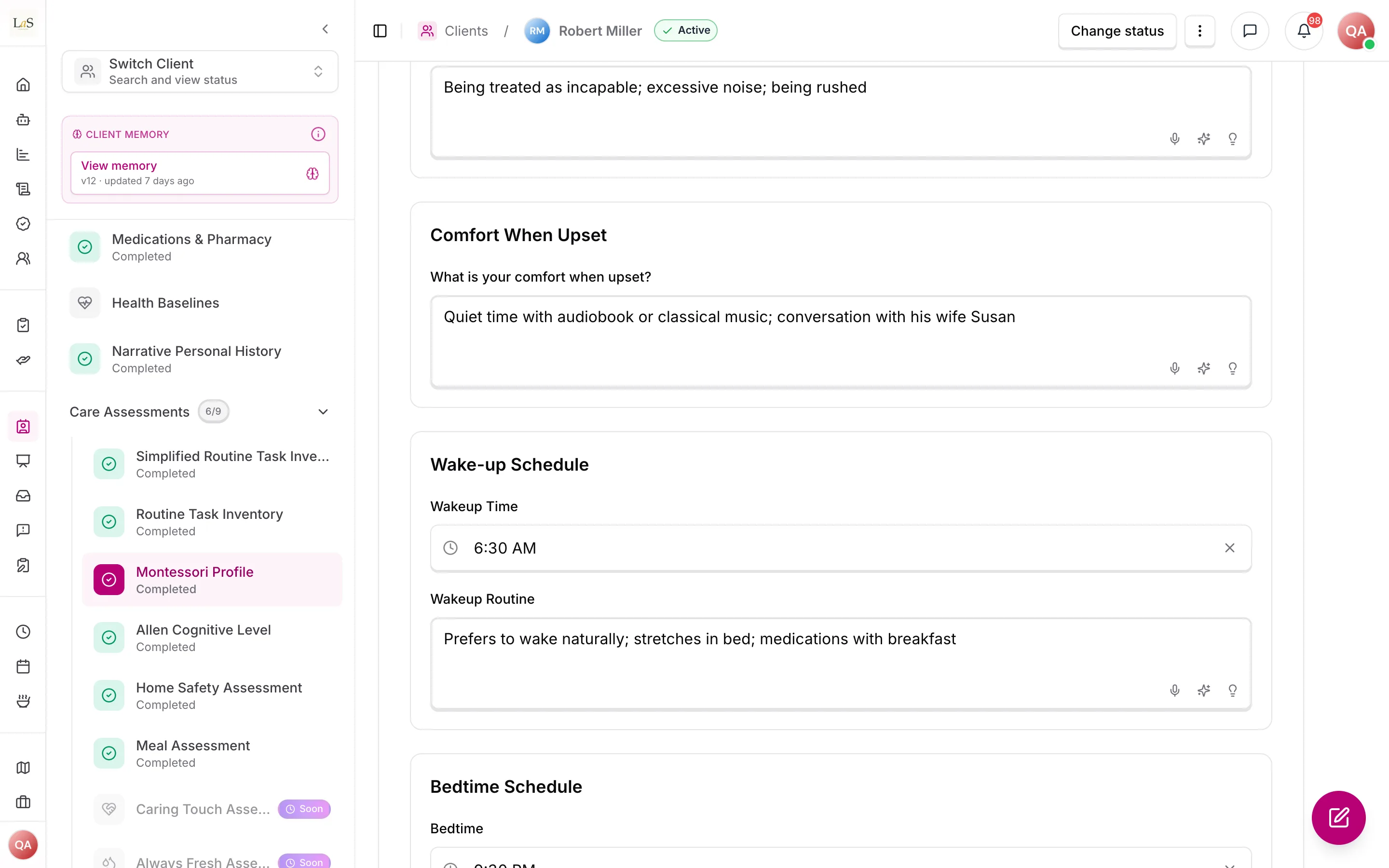
What exists today: a client's routines are typed answers in the Daily rhythms section of the Montessori Profile library instrument — the typical week, the wake-up and bedtime routines, naps — filled like any agency assessment. Nothing asks the care provider on shift to log them, and nothing notices a routine being missed.
Key terms
- Routine — a recurring habit defined in the client's care plan that the client is expected to keep on a regular schedule, such as a wake time, a daily walk, or a bedtime routine.
- Routine anchor — the structured, time-typed subset of the client's routine (wake, sleep, and meal times), set on the client's schedule page as the client's (see Scheduling & Shifts ); anchors drive scheduling, not per-shift logging. The care plan may propose these times () but does not own them.
- Routine window — the earliest and latest time a routine moment is expected to happen, for example "breakfast between 8:00 AM and 8:30 AM". Every routine time is a window rather than a single instant, because care happens within a tolerance, not on the minute. The window expresses when the moment may fall, not how long the activity takes.
- Routine completion log — the record a care provider makes each shift marking whether a routine was kept, missed, or partly kept.
- Consistency — how reliably a routine is kept over time, measured from the completion logs (for example, "kept 6 of the last 7 days").
- Disruption — a routine that is being missed often enough to break its normal pattern.
- Disruption alert — the notification raised to the care team when a routine is consistently missed.
- Pattern recognition — the platform reading across routine logs to surface disruptions that may indicate a health change worth a closer look.
- Routine history — the full chronological record of how each routine has been kept over time.
How it works
Setting routines in the care plan
A care manager defines a client's routines as part of the care plan. Each routine names the habit, its expected schedule, and any guidance the care provider needs. Because routines are part of the care plan, they are published, reviewed, and revised through the same care plan lifecycle as everything else the plan contains (see Care Plans & Care Provider Tasks).
Some habits correspond to a routine time — a wake, sleep, or meal window the care manager sets on the client schedule page (see Scheduling & Shifts). Each routine time is a window with an earliest and a latest time, not a single instant. A care manager may promote a routine time to a tracked habit; when they do, that routine time is the single source of truth for the habit's expected schedule — the habit reads its schedule from it and the two never diverge (, ).
Logging completion each shift
The care provider on duty logs each routine as kept, missed, or partly kept during their shift. Logging is per shift, so the routine's history builds up one shift at a time, with the care provider, the time, and any note attached to each entry.
Tracking consistency and spotting disruption
From the completion logs the platform measures each routine's consistency over time. When a routine is consistently missed, it is treated as a disruption and a disruption alert is raised to the care team so someone can look into it. Beyond a single routine, pattern recognition reads across a client's routine logs to surface disruptions that may indicate a health change — for example several routines slipping at once — so the care team can connect it with what they are seeing in Health Readings. Routine tracking points the team at a possible change; it does not itself decide what the change means.
Visibility and history
The client's representative can see how the client's routines are being kept, so the family stays informed without needing to ask. The full routine history is kept in chronological order, so the care team and the representative can look back over how a routine has held up across days and weeks.
Rules
- ROUT-1 — A client's routines are defined inside the care plan, and only a care manager (or higher) may add, edit, or remove them. (🚧 Spec only)
- ROUT-2 — Each routine must record its habit name, its expected schedule, and any guidance the care provider needs to keep it. (🚧 Spec only)
- ROUT-3 — The care provider on duty logs each routine as kept, missed, or partly kept during their shift. (🚧 Spec only)
- ROUT-4 — Every routine completion log must capture which care provider made it, the time it was made, and any note attached. (🚧 Spec only)
- ROUT-5 — The platform must measure each routine's consistency over time from its completion logs. (🚧 Spec only)
- ROUT-6 — When a routine is consistently missed, the platform must raise a disruption alert to the care team. (🚧 Spec only)
- ROUT-7 — Pattern recognition must read across a client's routine logs to surface disruptions that may indicate a health change, so the care team can review them alongside Health Readings. (🚧 Spec only)
- ROUT-8 — Routine tracking flags possible changes only; it must not state or imply a diagnosis or clinical conclusion. (🚧 Spec only)
- ROUT-9 — The client's representative must be able to see how the client's routines are being kept. (🚧 Spec only)
- ROUT-10 — Each routine must keep a full chronological history of how it has been kept over time. (🚧 Spec only)
- ROUT-11 — Routines are scoped to a single client and a single agency, and are visible only to logged-in users whose role permits it; routine data must never cross agency boundaries. (🚧 Spec only)
- ROUT-12 — Routines follow the care plan lifecycle: changes to a client's routines take effect through the same publish-and-review cycle as the rest of the care plan (see Care Plans & Care Provider Tasks). (🚧 Spec only)
- ROUT-13 — A client's — wake, sleep, and meal times — are set directly on the client schedule page (see Scheduling & Shifts ) and are the single operational source that scheduling, task generation, and any corresponding tracked habit read; where a tracked habit corresponds to a routine time (wake, bedtime), the habit's expected schedule () must read from that routine time, so the two never diverge. The care plan may propose these times but does not own them. (🚧 Spec only)
- ROUT-14 — A routine time is not itself a logged habit: a care manager may promote one to a tracked routine, but routine times drive scheduling (shift start times and task times) while routines drive per-shift kept/missed logging (). (🚧 Spec only)
- ROUT-15 — Every routine time is recorded as a window — an earliest and a latest time — never as a single instant, because a routine moment happens within a tolerance rather than on the minute. Both ends are required: a routine time with only one end set must be rejected, and clearing a routine time clears both ends together. A window whose latest time falls before its earliest is read as crossing midnight. (🚧 Spec only)
Who can do what
| Action | Roles |
|---|---|
| Define, edit, or remove a client's routines in the care plan | SuperAdmin, Owner, Admin, Care manager |
| Log routine completion each shift (kept / missed / partly kept) | Care provider |
| Receive disruption alerts and review pattern recognition | SuperAdmin, Owner, Admin, Care manager |
| View routine completion and chronological history | SuperAdmin, Owner, Admin, Care manager, Care provider, Representative |
Decisions needed
- What counts as "consistently missed" for a disruption alert? The PRD requires an alert when a routine is consistently missed but does not define the threshold. Options: a fixed miss count (e.g. missed N shifts in a row); a rolling consistency rate falling below a set percentage; a care-manager-configurable threshold per routine.
- Who receives the disruption alert, and through which channel? Options: the assigned care manager only; the full care team; the care manager with the representative copied. Channel could be in-app only or in-app plus push/email.
- How much of the routine picture does the representative see? gives the representative visibility into completion. Options: completion status and history only; completion plus disruption alerts; full visibility including pattern-recognition findings.
- Should routines feed structured signals into Health Readings? Pattern recognition () surfaces possible health changes. Options: keep routines and health readings as separate views the care team correlates by hand; raise a health-readings signal automatically when a disruption pattern is detected.
- Can a care provider correct a routine log after the shift ends? Options: logs are final once the shift closes; an edit window with an audit trail; care-manager-only correction after the fact.
How is this page?
Last updated on