Agency Memory
Part of the Anaya Care Handbook — the source of truth for how the product must behave. When the product needs to change, change this document first, then make the system match it.
What this covers
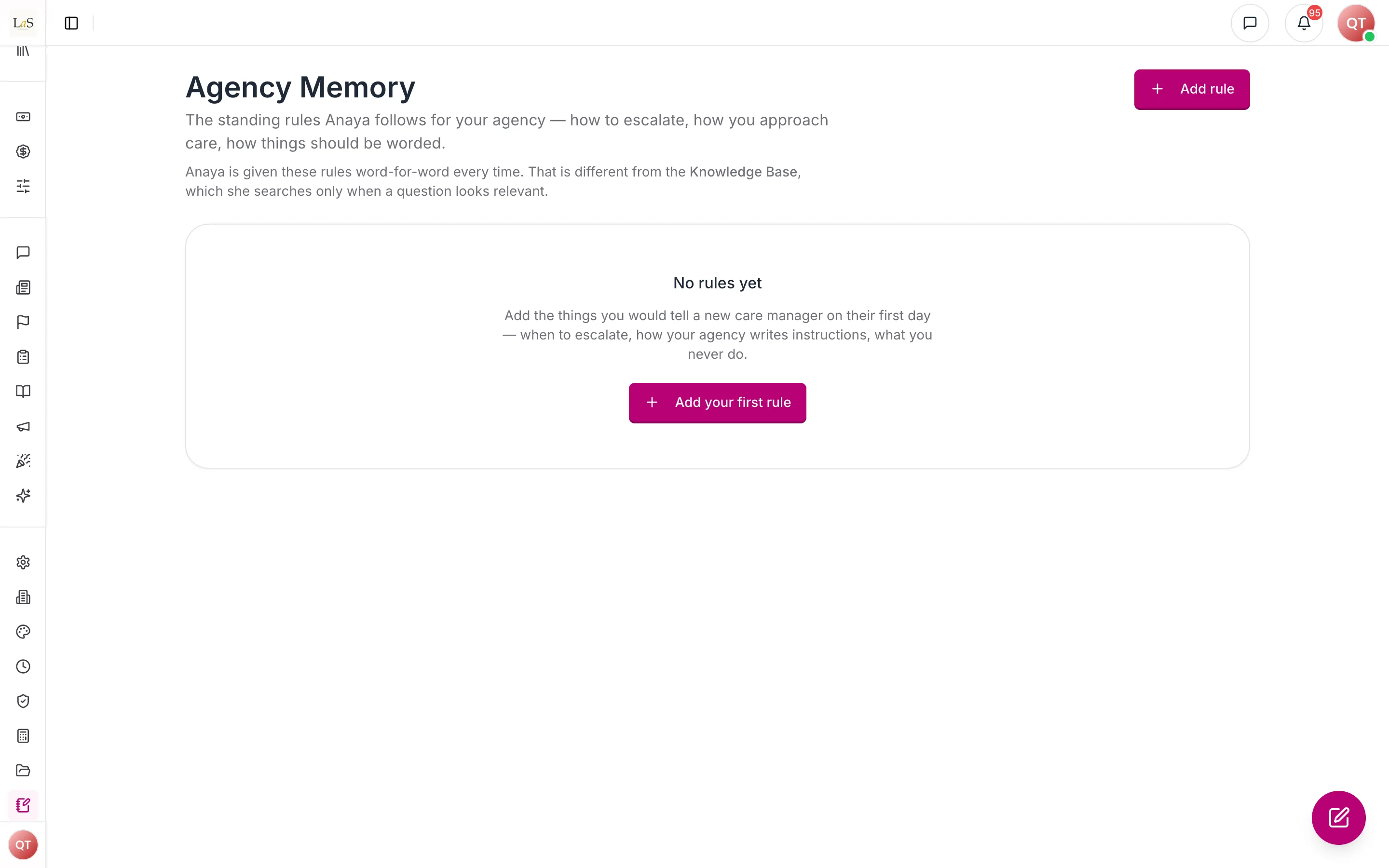
This page governs agency memory: the agency's own standing operating rules, written by its owner and administrators, that the AI applies to everything it drafts and answers. These are the house rules — how quickly a fall must be escalated, how instructions should be worded, what this agency's care methodology asks for, what its staffing norms are.
Agency memory answers a question the Knowledge Base left open (): where an agency's care methodology rules physically live and how the AI reads them. The answer is a structured rule set, not an uploaded document.
That distinction is the whole point. Knowledge base documents are searched: the AI looks for material that seems relevant to the question in front of it, and a document that does not match is simply never consulted. That is the right behaviour for reference material and the wrong behaviour for policy. An agency rule must apply every time, whether or not it looks relevant to the request. So agency memory is given to the AI word-for-word on every matching request — never searched, never ranked, never skipped.
Agency memory is distinct from Client Memory, which is about one person and is written by the AI. Agency memory is about the whole agency and is written by people.
Key terms
- Agency memory — the set of standing rules an agency writes for the AI to follow.
- Rule — one titled instruction with a short body, e.g. "Escalate falls within 15 minutes".
- Category — what kind of rule it is: escalation, methodology, house style, staffing, compliance, or general.
- Applies to — the AI surfaces a rule governs; a rule can apply everywhere or to specific ones.
- Active — whether a rule is currently given to the AI. An inactive rule stays saved but is not applied.
- Prompt budget — the limit on how much agency memory can be given to the AI at once; rules beyond it are not applied.
How it works
Writing a rule
An owner or administrator writes a short title and body, picks a category, and chooses where the rule applies. The rule takes effect immediately — there is no publishing step and no processing delay, because nothing has to be indexed or made searchable first.
Rules are ordered, and that order is the order the AI reads them in. When two rules pull in different directions, the earlier one is seen first.
How a rule reaches the AI
There is no search step. Every active rule scoped to that surface is included, in order.
What rules are, and are not
Agency rules are authoritative: the AI follows them and prefers them over its own defaults. They are not, however, above the platform's safety rules. A rule cannot make the AI act outside its scope of practice, skip an escalation, or change who it is. The AI treats the content of a rule as policy to follow, and ignores any attempt inside a rule to rewrite its role or reveal its instructions.
Who is bound by a rule
Everyone in the agency. Configuring agency memory is restricted to owners and administrators, but the rules shape the AI's answers and drafts for every member of the business. A care provider who asks Anaya what to do about a fall must get their agency's escalation rule, even though they cannot edit it.
This has a consequence worth stating plainly: rule text reaches staff indirectly, through the AI's answers. Agency memory is not a private channel, and confidential client information does not belong in a rule.
The prompt budget
There is a limit on how much agency memory can be given to the AI at once. An agency that writes past it will have its later rules left out — in order, so the rules it ranked highest are the ones that survive. When that happens the AI is told its view is partial, and the agency must be able to see that it is over budget rather than discovering it through a draft that quietly ignored a rule.
Rules
- AGM-1 — Agency memory belongs to the business that wrote it. One business's rules must never reach another business's AI results.
- AGM-2 — Active rules are given to the AI in full on every matching request. Agency memory is never selected by search, relevance, or ranking — a rule that applies is always applied.
- AGM-3 — Every rule declares which AI surfaces it applies to, and is given only to those. A surface that does not yet read agency memory must not be offered as a choice.
- AGM-4 — A rule can be deactivated. An inactive rule is retained but is never given to the AI, and deactivating one takes effect immediately.
- AGM-5 — Agency rules are authoritative over the AI's own defaults, but never over its safety, escalation, and scope-of-practice rules. Content inside a rule that attempts to change the AI's role, override those rules, or reveal its instructions must be ignored.
- AGM-6 — Only Owner and Admin may create, edit, reorder, deactivate, or delete agency memory.
- AGM-7 — Agency rules apply to the AI output of every member of the business, regardless of whether that person may configure them.
- AGM-8 — Because rule text reaches staff through AI output, agency memory must not be used to hold confidential client information, and the authoring surface must say so.
- AGM-9 — Agency memory is subject to a prompt budget. When rules exceed it they are dropped in reverse order of precedence, the AI must be told its view is partial, and the agency must be able to see that rules are being dropped. (🚧 Partial — the budget and the AI-facing notice ship with this feature; the agency-facing warning in the interface is a Known gap.)
- AGM-10 — Rules are ordered, and the AI reads them in that order.
Who can do what
| Action | Who is allowed |
|---|---|
| Create, edit, reorder, deactivate, or delete agency rules | Owner, Admin |
| View the agency's rules | Owner, Admin |
| Have the AI apply the agency's rules to their answers and drafts | Every member of the business |
Decisions needed
- Should any role below Admin be able to read the rules directly? Today a care provider is governed by the rules but cannot see the list. Showing them could aid transparency; it also turns agency memory into another internal document surface, which the Knowledge Base already is.
- Should a rule be able to carry an expiry or effective date? Knowledge base documents can (see KB tagging). Seasonal or temporary policy would benefit; it adds a field and a scheduling concern.
- Should the AI record which rules shaped a given draft? This would make "why did it write that" answerable, and is the natural companion to the audit trail on AI Features. Not yet decided.
- How should conflicting rules be resolved beyond ordering? Order settles precedence mechanically, but nothing detects that two rules actually contradict each other.
How is this page?
Last updated on