Change of Conditions
Part of the Anaya Care Handbook — the source of truth for how the product must behave. When the product needs to change, change this document first, then make the system match it.
Implementation status — audited against
apps/backend/src/change-of-conditions(namedhealth-observationsuntil 2026-09-22),apps/backend/src/reassessments/listeners/reassessment-trigger.listener.ts, and the web Change of Conditions tab on 2026-07-10. The note lifecycle (Draft → Submitted → Reviewed → Acknowledged) and the → link (significant review opens a reassessment and flags Care Task Lists stale) are in code. (discharge handoff to transition of care) is still 🚧 spec only. Legend: ✅ In code · ⚠️ Partial · 🚧 Spec only (not yet built).
What this covers
This page governs change of conditions — how the agency learns that something about a client has changed. Care providers are the agency's eyes in the home: when one notices a change in the client's condition during a shift, they record a note. That note travels from the care provider, through a care manager's review, into acknowledgment — and is supposed to drive the loop that keeps care current: reassess the client, update the care plan, and brief the next care provider through a shift handover.
Change of conditions tracks ongoing health changes over time — a slow decline, a new behavior, a shifting environment. It is distinct from an incident report, which is a formal, after-the-fact account of an unexpected one-time event (a fall, a medication error, an injury). A significant change of condition can be the moment to step back and re-evaluate the whole care arrangement, which is why it is one of the events that can trigger a reassessment. When a change of conditions leads to a discharge, the discharge note in turn triggers a care-plan review through transition of care. This page is the first leg of the care lifecycle — the loop that keeps the care plan matched to the client's real condition.
Key terms
- Change of conditions — a written note a care provider records during a shift when they notice a change in the client's condition — physical, cognitive, behavioral, or environmental.
- Review — a care manager's examination of a submitted note, recording review notes, a decision (approved or needs attention), and a significance determination (significant or not) that decides whether the note triggers a reassessment.
- Significance determination — the reviewer's recorded judgment that a change is significant — large enough to re-evaluate the whole care arrangement. A significant change creates a Triggered reassessment (). The criteria for "significant" are agency-configurable; the consequence is not.
- Acknowledgment — the final confirmation by agency staff that a reviewed note has been seen and handled, recorded with who and when.
- Handover alert — the automatic evaluation, on every submitted note, of whether the next care provider on this client needs a briefing before their shift.
- The reassessment loop — the follow-through after a change of conditions: review the note → if significant, run a reassessment () → update the affected care assessments → regenerate the care plan and the Care Task List. The whole loop is mapped on the Care Lifecycle page.
How it works
When a care provider notices a change in the client's condition during a shift, they record a change-of-conditions note on mobile. The note is one free-text account, dictated or typed, tied to that shift and that client, and it is submitted the moment they tap Submit. (Drafts still exist for notes started elsewhere, but the phone no longer asks draft-or-submit.)
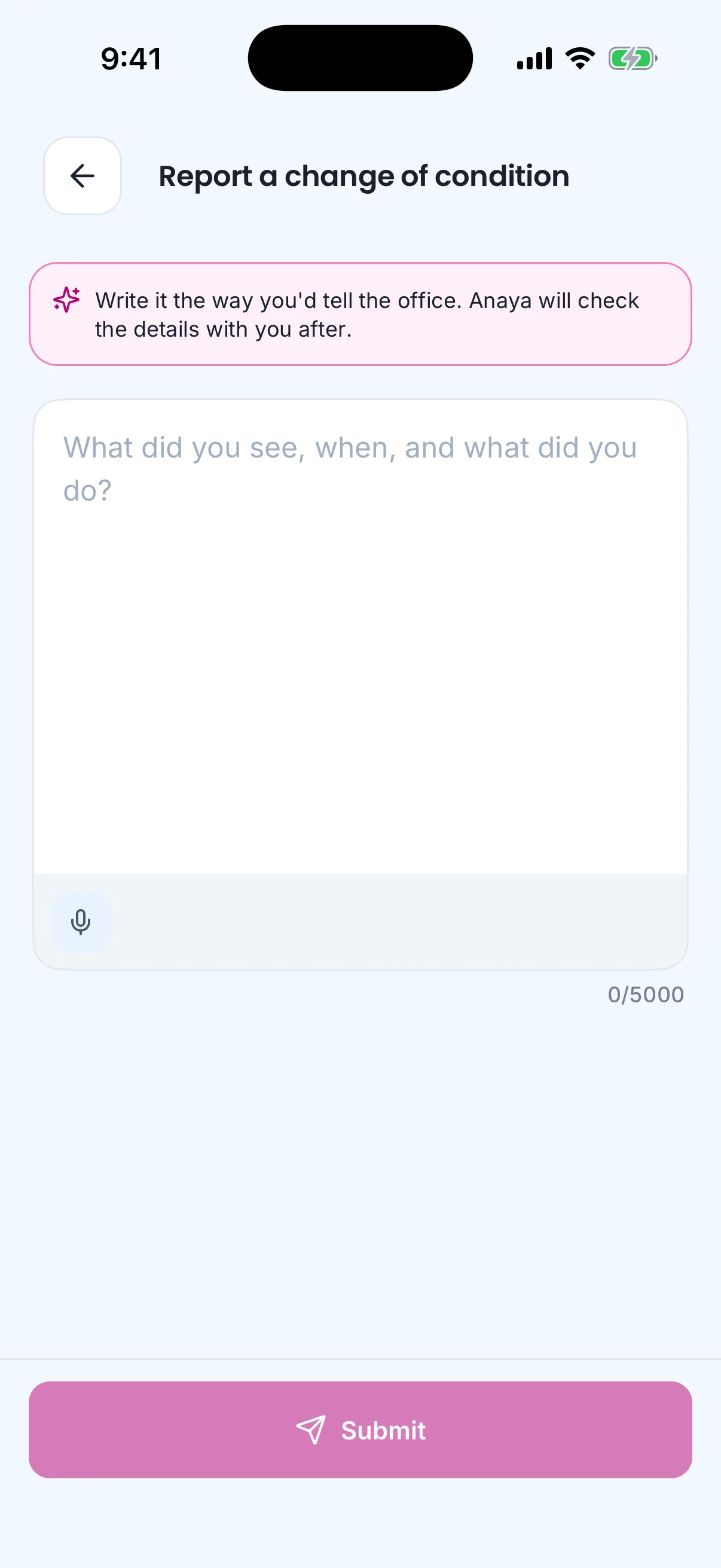
A change of condition starts as one account in the care provider's own words.
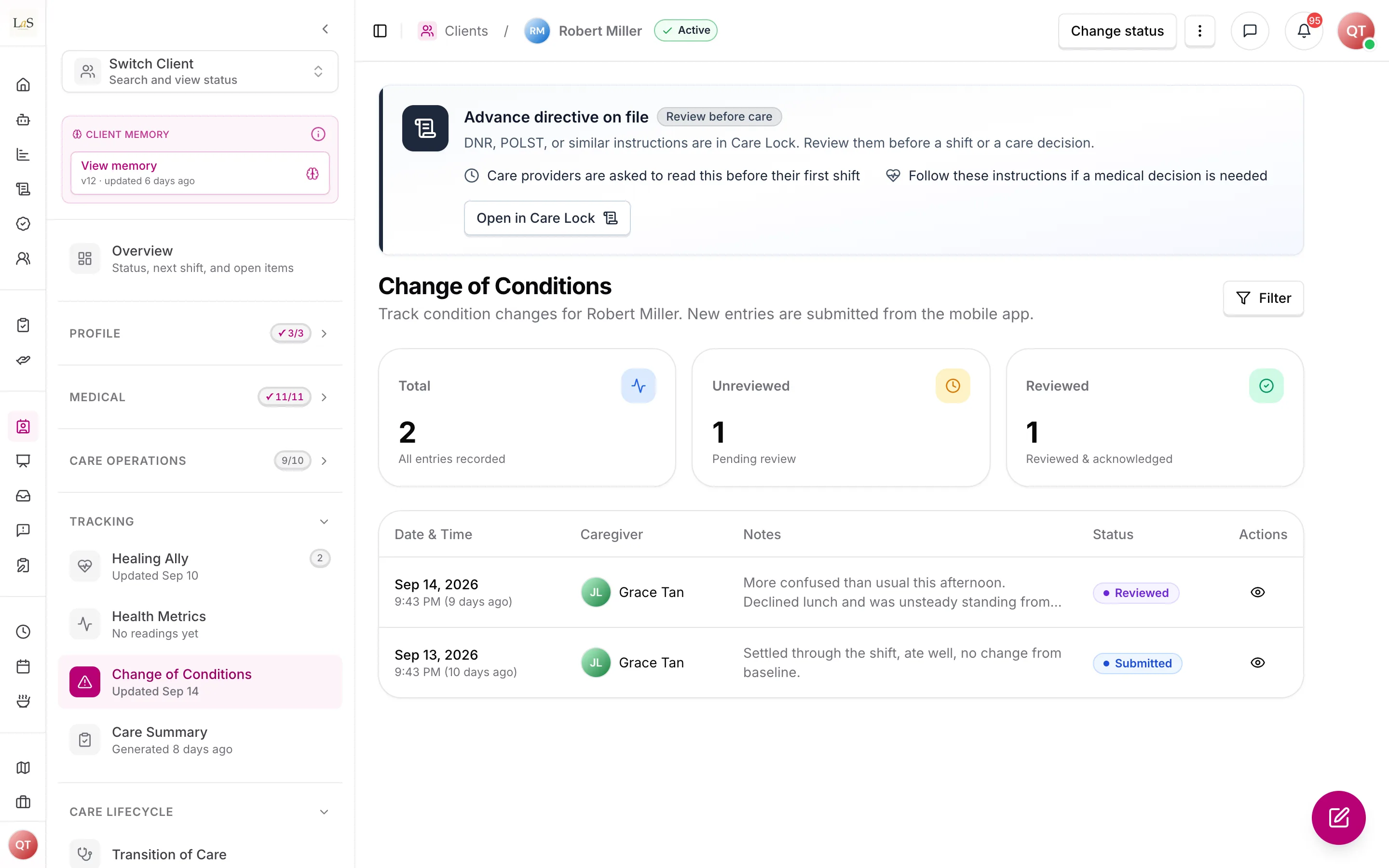
Entries arrive from the mobile app; the web shows which still need review.
Submitting starts the intake agent (). It reads the note against the client's care plan, memory and recent notes, asks the care provider — on their phone, right after they submit — up to three short, skippable clarifying questions for anything the note does not already answer (what is different, compared to what is usual, since when, better or worse, what they did, who was told), and then presents a clean version of the note in the provider's own words for them to confirm or correct. The confirmed version replaces the note's text; the original words are kept on the note. For the care manager it attaches a two-sentence summary, a suggested significance with its reasoning, the care-plan areas it believes the change touches, and a comparison against the client's usual state — hints beside the review controls, never pre-selected. Nothing waits on the agent: if it is unavailable or the provider never answers, the note stands as written.
Legend: ✅ In code · ⚠️ Partial · 🚧 Spec only. The note lifecycle (Draft → Submitted → Reviewed → Acknowledged) and the significant-change branch into reassessment ( → ) are in code. A significant review also flags the client's Care Task Lists stale () in parallel — both fire from the same event.
Submitting a note has two consequences:
- The next care provider may be warned. The system evaluates every submitted note and decides whether the next care provider on this client needs a handover alert before their shift — so a change observed on Tuesday doesn't surprise whoever walks in on Wednesday. Every such decision, including a decision not to alert, is recorded (see Scheduling & Shifts).
- The agency is told a note awaits review. Care managers must be notified so review happens because the system asked for it, not because someone happened to open the page.
What follows review is the reassessment loop. At review the care manager records a significance determination on the note. When the change is marked significant, that determination opens a Triggered reassessment in the review queue ( → ) and flags the client's Care Task Lists for regeneration review () — both surface to the care manager as prompts, never as silent auto-updates (). The reassessment then lets the care manager apply suggested assessment changes (), record the outcome (), and republish the care plan and Care Task List as needed. When a change of conditions records a client discharge, the note must hand off into transition of care ( → ) — that path is 🚧 spec only today (see Known gaps).
Rules
Rules through were originally published as AS-18 through AS-22 on the Assessments page and moved here unchanged.
- COC-1 — A change-of-conditions note can only be created by the care provider assigned to the shift, and only while that shift is in progress.
- COC-2 — Only the author can edit, delete, or submit a change-of-conditions note, and only while it is in Draft. Once submitted, the note is immutable to the author — with one exception: the intake refinement under , where the system replaces the text with the version the author confirmed on their phone, only while the note is still Submitted, and only with the original words retained.
- COC-3 — Only a Submitted note can be reviewed. The reviewer must record review notes and a decision (approved / needs attention), and that decision must be stored on the note.
- COC-4 — Only a Reviewed note can be acknowledged, and only by the client's agency staff. Acknowledging records who acknowledged and when.
- COC-5 — When a note is submitted, the system must evaluate whether the next care provider on the client needs a handover alert, and the agency's care managers must be notified that a note awaits review.
- COC-6 — Every submitted note must be processed by the handover-alert evaluation exactly once — a note must never be silently skipped, and the decision (alert or no alert) must be recorded with its reason.
- COC-7 — A change-of-conditions note belongs to one client, one shift, and one author, and is only visible inside the client's business.
- COC-8 — On review, the care manager must record a significance determination on the note (significant / not significant), and that determination must be stored on the note alongside the approved / needs-attention decision in . A note marked significant must create a Triggered reassessment (the receiving rule is ), with this note linked as the trigger source, and must flag the client's Care Task Lists for regeneration review (). The criteria for "significant" are agency-configurable; the consequences — that a significant change opens a reassessment and flags stale task lists — are not. The reassessment is surfaced to the care manager in the Reassessments queue, never started silently. (✅ In code)
- COC-9 — A change-of-conditions note that records a client discharge must hand off into the hospital-to-home transition of care flow: it produces a discharge note and triggers the care-plan review defined by , rather than dead-ending in acknowledgment. (🚧 Spec only)
- COC-10 — A note is filed as one free-text account; the system may then refine it, but only with the author, and only into words the author has confirmed. After a note is submitted from mobile by its author, an intake agent may ask the author up to three clarifying questions on that device — each skippable — and must then present the refined note for the author to confirm, edit, or send back for one more revision (at most twice). Only the version the author confirms may replace the note's text; the original must be retained on the note and remain viewable by reviewers. The refinement is applied only while the note is still Submitted; once reviewed, the confirmed version is attached but does not replace the text. The agent may attach a summary, a suggested significance with its reasoning, affected care-plan areas and a comparison to the client's usual state for the reviewer, but must never set significance itself (). The intake must never block, delay, or remove a note, and must not start when someone other than the author submits a draft. (✅ In code)
Who can do what
| Action | Who is allowed |
|---|---|
| Record, edit, and submit a note | The care provider assigned to the active shift (mobile) |
| Review a submitted note | Owner, admin, care manager (web) |
| Acknowledge a reviewed note | Owner, admin, care manager |
| See a note's handover alert | The next care provider on the client (mobile) |
| Family and medical professionals | No access to the change-of-conditions workflow |
Decisions needed
- What criteria define a "significant" change of condition ()? establishes that a significant change triggers a reassessment; what remains open is how significance is decided. Options: the reviewer marks it by hand (the default); derive it from a category-and-severity field (Decision 2); or an agency-configurable rule. The link is fixed; only the threshold is being decided here.
- How aggressive should the reassessment trigger be? routes a significant change to a reassessment that the care manager confirms. The open sub-question is whether non-significant-but-notable changes should still raise a soft prompt, and whether a confirmed reassessment should auto-open the comparative-period report. Full silent automation is excluded by "AI drafts, humans decide."
Resolved: the former Decision "should a change leading to discharge feed transition of care?" is now answered by (it hands off to transition of care); the former Decision "how does a significant change reach reassessment?" is answered by ; the former Decision "should notes capture structured information?" is answered by — the note stays one free-text field, and structure (when it was noticed, what is different from usual, the care-plan areas touched) is inferred by the intake agent and confirmed by the author rather than typed into fields.
How is this page?
Last updated on