Emergency Alerts (SOS)
Part of the Anaya Care Handbook — the source of truth for how the product must behave. When the product needs to change, change this document first, then make the system match it.
What this covers
This page governs emergency alerts (SOS): a real-time panic action available during an active shift. The care provider can press one button that immediately dials 911 and, at the same time, records the emergency with the provider's location and urgently notifies management and the family. The platform's other safety feature, after-the-fact incident reporting, has its own page: Incident Reports.
Key terms
- Emergency alert (SOS) — A panic action available during an active shift that dials 911 and records an alert with the care provider's location.
- Acknowledgment — A manager confirming they have seen and are responding to an emergency alert.
How it works
Emergency alert (SOS)
While a care provider has an active, in-progress shift with a client, the mobile app shows an SOS button. Pressing it (after a confirmation step) does two things at once:
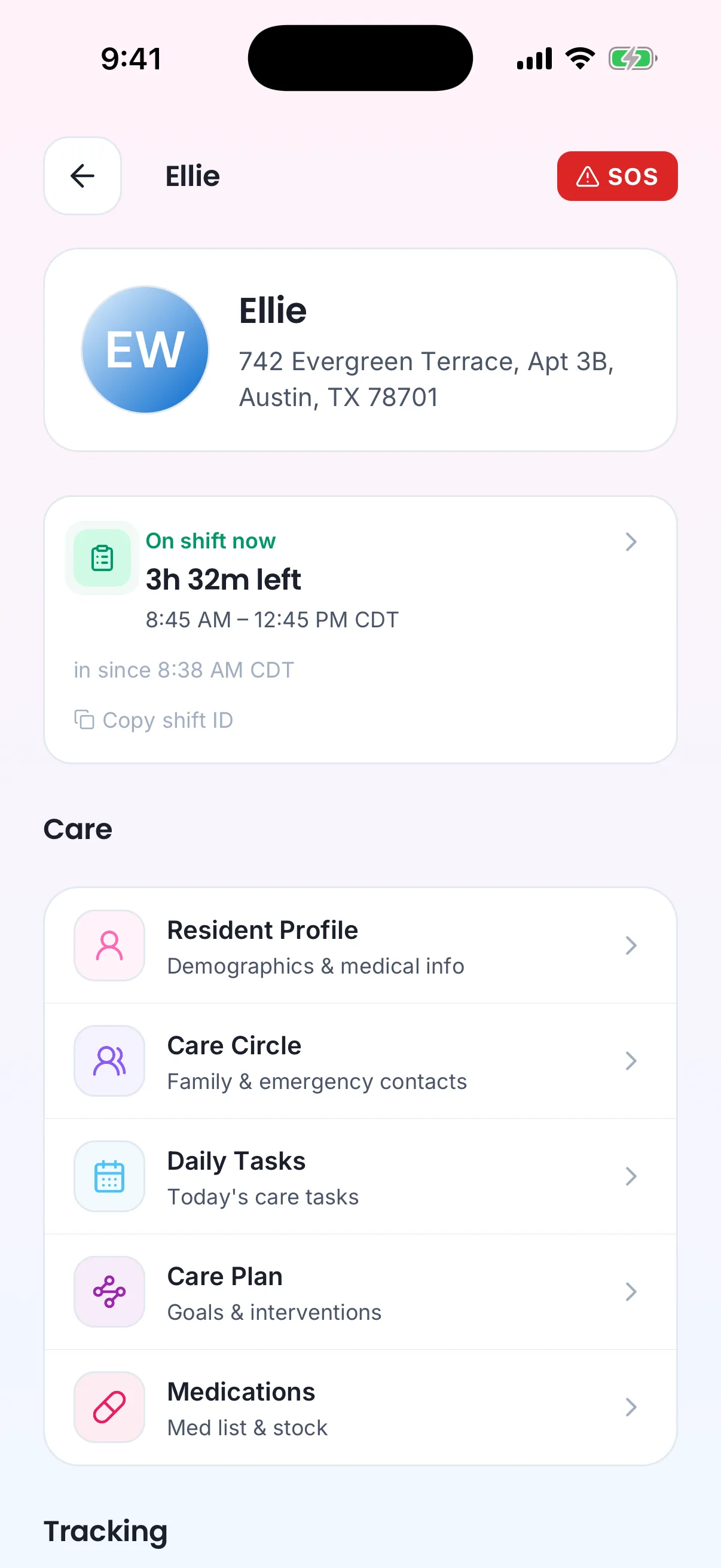
The SOS button shows only while the care provider is on shift with this client.
The 911 call always comes first and can never be delayed or blocked by the recording step — if the recording fails, the call still goes through. The alert captures who triggered it, which client and shift it concerns, the time, the provider's GPS position when available, and a snapshot of the client's address. When a location is captured, the emergency also appears as a pin on the shift's location map.
The alert urgently notifies all active management users of the agency and the client's active family representatives (excluding the person who triggered it) on every channel: in-app, critical push notification, email, and text message. These notifications cannot be turned off. Delivery follows the platform's standard notification channels (see Communication).
Rules
- SOS-1 — The SOS button is available only to the assigned care provider, and only while their shift with that client is in progress. The system must reject alert recordings from anyone else or from a shift that is not in progress.
- SOS-2 — Pressing SOS must dial 911 immediately. The recording and notification steps are best-effort and must never delay or block the 911 call.
- SOS-3 — Every emergency alert must record who triggered it, which client and shift, the time, the GPS position when available, and a snapshot of the client's address at that moment.
- SOS-4 — When an alert includes a location, it must appear as an emergency pin on the shift's location timeline.
- SOS-5 — An emergency alert must urgently notify all active management users of the agency and the client's active family representatives — excluding the person who triggered it — by in-app message, critical push notification, email, and text message. These notifications cannot be disabled.
- SOS-6 — The system accepts at most three alert recordings per minute from the same source, to prevent accidental floods; this limit must never affect the 911 call itself.
- SOS-7 — Management must be able to see the list of emergency alerts and acknowledge each one, so the team knows who is responding.
- SOS-8 — Every emergency alert belongs to exactly one agency and one client. Users of one agency can never see another agency's alerts.
Who can do what
| Action | Allowed roles |
|---|---|
| Trigger an SOS emergency alert | The assigned care provider, during their in-progress shift |
| View and acknowledge emergency alerts | Owner, Admin, Care manager; Medical professional for assigned clients |
Decisions needed
- Should family representatives be able to trigger an emergency alert? The permission is granted to them today but no family-facing SOS exists. Options: add a family SOS; remove the permission and keep SOS provider-only.
- Should an unacknowledged emergency alert escalate? Options: re-notify or escalate up the management chain after a set time; rely on the initial multi-channel blast only.
How is this page?
Last updated on