The Anaya Care Handbook
What this is: The single source of truth for how Anaya Care must behave — its terms, its rules, and its workflows, written in plain language for everyone on the team: product, care operations, and engineering alike.
The docs-first rule: When the product needs to change, change this document first, agree on the wording, and only then change the system to match it. If the system and this document disagree, the document wins — the disagreement is either a bug or a Known gap waiting to be fixed.
What Anaya Care is
Anaya Care is a platform for home care agencies (called a business). Each agency runs its entire operation on the platform:
- It assesses a prospective client's needs.
- It sends the family a priced and collects an electronic signature.
- An accepted proposal becomes a managed .
- It creates the client's and generates the concrete, initially unassigned that need coverage.
- It writes the , builds the , and assigns every generated shift.
- Uncovered generated shifts can be bundled into ; applicants choose the shifts they can cover before final assignment.
- Throughout, the family stays informed through client requests, chat, , and shared reports — and AI assists with drafting plans, tasks, meals, summaries, and analyses.
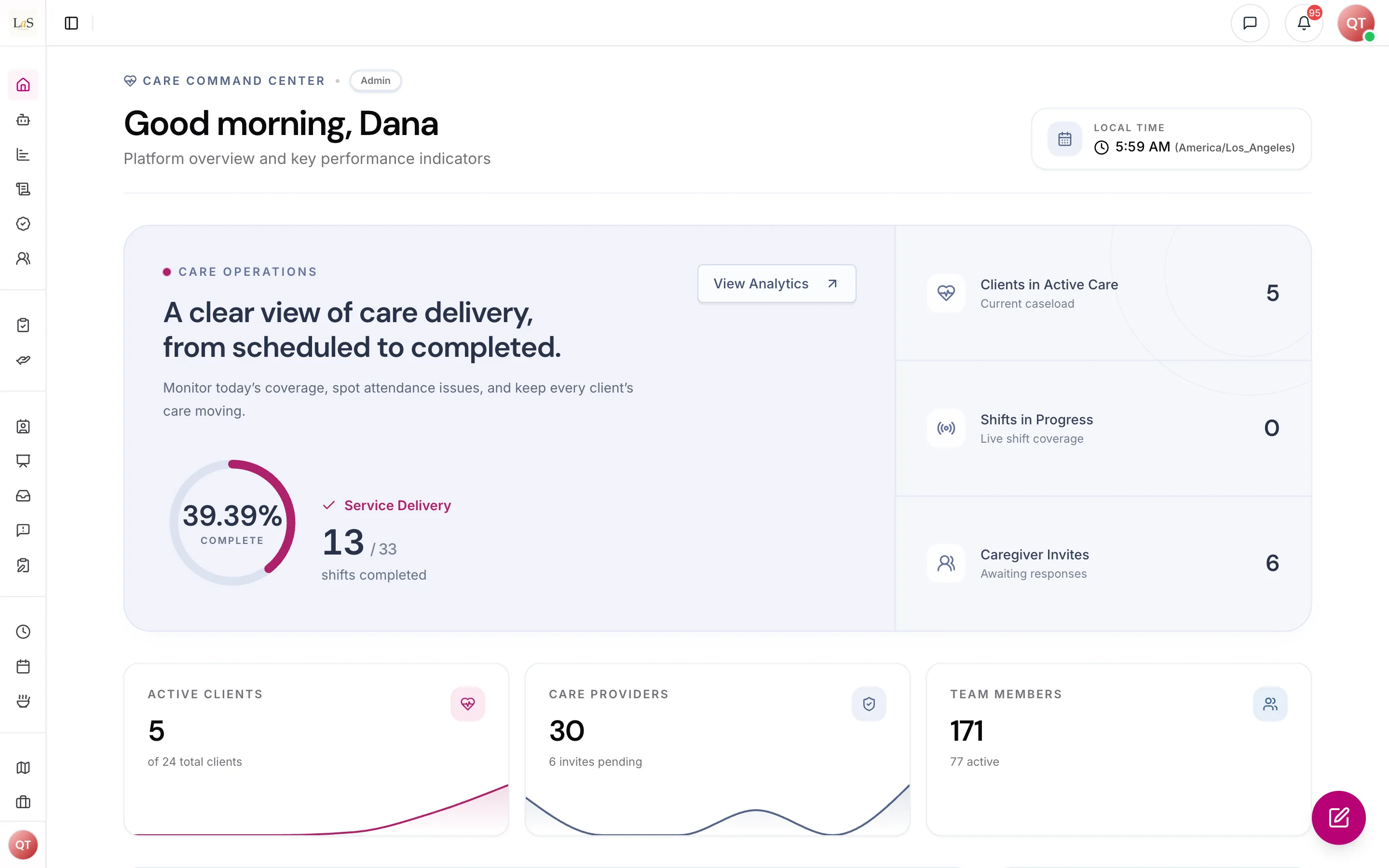
The agency dashboard: today's care delivery and the team at a glance.
Every piece of data belongs to exactly one business. One agency can never see another agency's clients, staff, or records.
The people
| Role | Who they are | Where they work |
|---|---|---|
| Anaya Care platform staff | Web dashboard | |
| The person who owns the agency | Web dashboard | |
| Senior agency staff | Web dashboard | |
| Roles the agency defines itself (e.g. "Care Manager") with hand-picked permissions | Web dashboard | |
| The caregiver delivering care in the field | Mobile app | |
| The family contact / decision-maker for a client | Mobile app | |
| A clinician associated with the agency | Mobile / web |
A is the person receiving care. Clients are records, not user accounts — the family acts for them through Representatives.
Full detail: Identity, Access & the Business.
How to read this handbook
- Every rule has an ID (e.g. , ). Use these IDs everywhere: in tickets, in change requests, in pull requests ("implements ", "violates "). IDs are stable — never renumber an existing rule; new rules get the next number.
- The Glossary defines every product term. If a word is being used two different ways in a discussion, the glossary's definition wins.
- The Changelog records every change to the handbook — date, what changed, and the rule IDs touched. Each page also shows its own "Last updated" date.
- Each page ends with two lists:
- Decisions needed — product questions the team has not yet answered. Answering one turns it into a new rule.
- Known gaps — places where today's system does not yet follow this document. These are engineering work items, not open questions. Internal: shown only when the docs run locally, never on the published site.
The care journey at a glance
Everything else in the platform either feeds this journey (hiring, trainings, skills) or supports it (communication, documents, AI assistance, dashboards).
The diagram above stops at the start of managed care. The post-onboarding loop — how the care plan keeps changing as the client does (change of conditions, reassessment, hospitalization, transition of care, hospice) — is detailed end-to-end on the Care Lifecycle page.
Platform-wide principles
These principles apply everywhere and are restated as concrete rules on each page:
- One business, one world. All data belongs to exactly one business and is invisible to every other business.
- The client's timezone governs time. Schedules, shifts, medication times, and reports all follow the client's local time — never the viewer's.
- Permissions gate every action. What a person can do is determined by their role and permissions, checked by the system — never just hidden in the interface.
- Care history is preserved. Status changes are recorded with who, when, and why. Closing or ending something keeps its history; quiet disappearance of records is never acceptable.
- AI drafts, humans decide. AI-generated content (plans, tasks, summaries, analyses) is always a draft for a qualified person to review — never an autonomous care decision.
- Families are informed, not burdened. Representatives see what concerns their client — shared reports, schedules, client requests — and nothing about the agency's internal operations.
How to change this handbook
- Propose — edit the page: change a rule's wording, add a new rule with the next free ID, or move an item from Decisions needed into Rules. Add a dated entry to the Changelog in the same change.
- Agree — the team reviews the doc change like any other change.
- Build — only after the doc change is merged does the code change start, referencing the rule IDs it implements.
- Close the gap — when a Known gap is fixed in the system, delete it from the page.
How is this page?
Last updated on